
About Font Changer
Font Changer is an advanced digital typography tool designed to convert standard text into hundreds of unique, stylish Unicode fonts for instant copy and paste anywhere on the web. By mapping standard characters to distinct Unicode symbols, our tool generates over 200 custom font styles that render seamlessly across social media bios, chat apps, and web pages.
This stylish font changer is the ultimate solution for formatting your text on platforms that don't natively support text styling—like Instagram bios, TikTok captions, Twitter updates, and Discord handles. Whether you need bold letters, elegant script, gothic font styles, or cute emoji symbols, simply type into our generator to transform your text instantly.
To keep your experience smooth, we feature a Favorites system that lets you pin your go-to styles to the top of the page, as well as a Recent tab that automatically saves your last copied styles.
Why Use Unicode Fonts?
Unlike traditional font files (.TTF or .OTF) which require viewer device installation, Unicode fonts are universal symbols supported across iOS, Android, macOS, and Windows. This ensures your custom text displays perfectly for everyone.
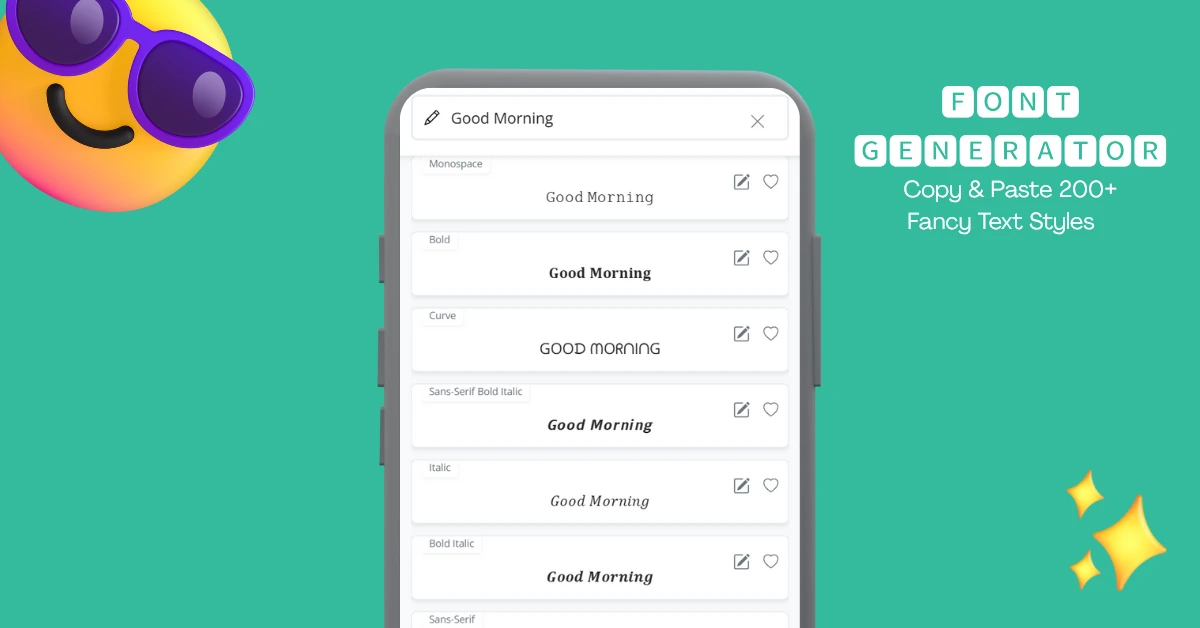
How to Copy and Paste Fonts?
Using this Unicode text converter is easier than you might think. To make any text stylish, simply enter your text, and the font gen tool will take care of the rest. All that's left for you to do is choose a style to copy from over 20 categories.
Here's how you can copy and paste fonts easily:
- 1Enter your text
Begin by writing or pasting your text into the text box at the top.
- 2Preview Your Text
You will now see your text displayed in a variety of fancy styles. Take your time to choose your preferred style.
- 3Copy it
Click on any style you like, and it will be copied to your clipboard, ready for you to paste wherever you need.
Best Cool Text Fonts
This fancy text generator has so many fonts that sometimes you might get confused choosing the right one. To help you out, we've created a list of the best fonts based on popular use cases for stylish text.
Almost all popular social media platforms provide a bio section where you can introduce yourself. Some of the most popular bio sections are those of Facebook, X, and Instagram. Your bio is one of your first impressions, so choose fonts that are fancy yet easy to read.
Here are some fonts that work great in bio:
Different Uses for Font Changer Styles
These font styles can be used almost anywhere, but there are some popular and creative ways to use them. Below are some ways people use these fonts and some other fun ideas:
Social Media
Social media is where people often utilize aesthetic fonts. The reason for this is that these platforms do not provide options for styling text. However, they do allow the use of symbols, so a common workaround is to use text symbols as fonts. With this tool, you can try hundreds of styles, including some unique fonts that you may not find anywhere else.
Instagram Fonts
These text styles are popularly known as fonts for Instagram because they work well in Instagram bios and captions. You can easily copy any of the text styles and paste them into your bio or caption. Fonts help your insta profile stand out, whether you're writing a cool cursive bio or a bold quote as a caption.
Fonts for Twitter
These texts work great on Twitter (X) as well. Since Twitter is a text-dominant platform, you may want Twitter fonts a lot of the time. They can be used to create headings, italicize text in your tweets, or bold specific words for emphasis.
Facebook Fonts
Facebook is another place where one would like to change fonts, but it has no such option. You can use any font made of symbols in your Facebook posts, comments, or bios to achieve a different look.
Threads, Reddit, and More
The use of these text styles isn't limited to the platforms mentioned above. You can apply them to various other platforms as well. For instance, platforms like Threads, Reddit, and other online communities also support the use of fancy fonts.
Folder & File Names
Here is a new, creative way for you to customize your folder and file names without needing any app. Simply type the name of the file in the text box, and you can give it a cool new name.
Chat
There are many chatting apps available, from the native messaging app to WhatsApp. You can chat in style on almost all of them. Next time you want to send a greeting in your family group, consider using a stylish message like "𝑯𝒂𝒗𝒆 𝒂 𝒈𝒓𝒆𝒂𝒕 𝒅𝒂𝒚!" You can use fonts for WhatsApp, Facebook Messenger, SMS, or any other chat app.
Advertisements
This is another creative and useful way to use fonts to grab attention. You can run your ads on Instagram, Facebook, etc., with the text written in different fonts. You can highlight an important point about your campaign in a cursive style "𝓤𝓹 𝓽𝓸 𝟱𝟬% 𝓞𝓕𝓕" or announce free shipping in bold font "𝗙𝗿𝗲𝗲 𝗦𝗵𝗶𝗽𝗽𝗶𝗻𝗴".
Notes & Documents
Do you frequently use note-taking apps or document apps like Excel, and want to highlight important information? This Text generator can help you with that too; you can write text in many different fonts in notes and documents.
Fancy Text in QR Codes
QR codes are everywhere nowadays. Plain text QR codes are often used to display simple text messages. The next time you want to share information or a heartfelt message, consider using fancy text in your QR code message. To create such a QR code, enter your text into this font generator, copy the styled text to a plain text QR code generator, and generate your QR code.
Explore Our Font Generator Network
Need more font styles and Unicode converters? Explore our partner font tools: Check out FancyTexts.online for social media bio fonts and fancy letter styles, or try CoolTextGenerator.in for cool text formatting and nickname generators.